
LEGO Donkey Kong Arcade 72051 Review: Better Than PAC-MAN for Me
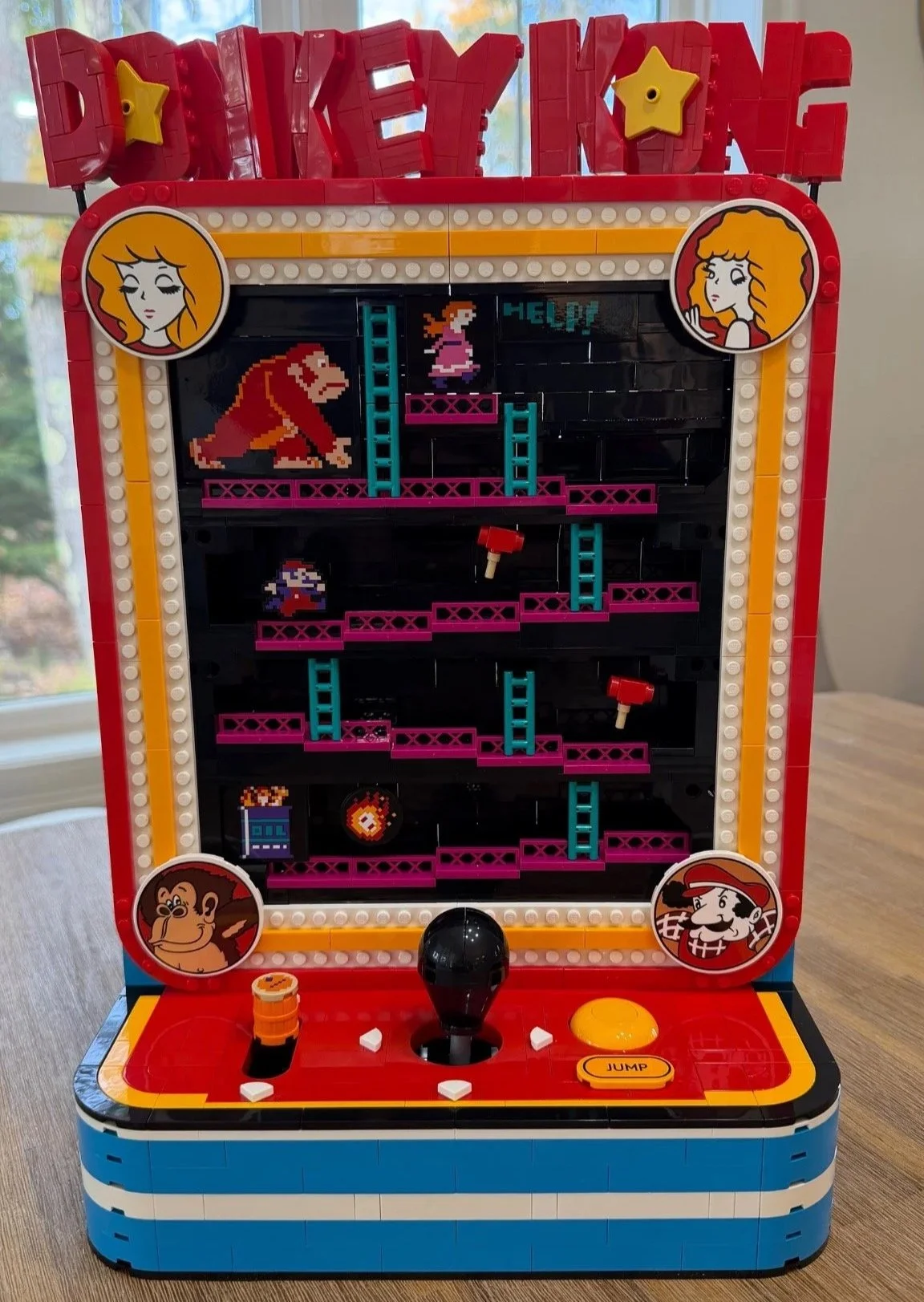
The finished Donkey Kong Arcade, including the brick-built title.
I remember playing Donkey Kong at the arcade or local rec when I was younger. Building LEGO Donkey Kong Arcade 72051 brought that feeling back, but the nostalgia only explains part of why I liked this set so much.
The real surprise was how satisfying it was to put the mechanisms together and then use them. The barrel loader, the moving Jumpman and the jump button turn a familiar game scene into something I actually want to keep interacting with. This is two of my favorite hobbies, LEGO and video games, meeting in a build that gives both of them room to shine.
It is not without frustrations. Some early Technic connections needed patience, the title letters were delicate to assemble, and I wish more of the artwork had been printed. Even with those reservations, this was a 9.8/10 set for me. Having also built the PAC-MAN Arcade, I enjoyed building Donkey Kong more.
At a Glance
- Set: LEGO Donkey Kong Arcade, 72051
- Theme: LEGO Super Mario, based on the original Donkey Kong arcade game
- Pieces: 1,367
- Numbered bags: 14
- LEGO age recommendation: 18+
- Build date: October 22, 2026
- Total recorded bag time: 2 hours, 36 minutes, 44 seconds
- Bag-average difficulty: 3.7/10
- Bag-average repetition: 4.4/10
- Bag-average dexterity / connection demand: 4.5/10
- My overall set rating: 9.8/10
- Stickers applied: 10, reconciled across all 14 bags
- Instructions used: LEGO Builder app, with 790 steps recorded in my notes. The supplied PDF has 419 main numbered steps.
View Donkey Kong Arcade 72051 on LEGO.com
Build Time and Ratings
The 2:36:44 total is the sum of my 14 recorded bag timers. My timing-method fields were not completed, so I cannot say precisely which photos, notes, breaks, setup or corrections are included. Treat this as recorded bag-session time rather than a measured hands-only build time. I did not record a separate overall-timer result to compare with it.
All three bag ratings are instruction-based editorial estimates, informed by my written build observations. I did not assign numeric bag scores while building. Difficulty describes understanding, orientation and execution; repetition measures repeated placements and sub-builds; dexterity covers precision, access, support and demanding connections. The bag averages give all 14 bags equal weight. They are separate from my personally assigned 9.8/10 overall rating.
The app and PDF count steps differently. I have kept the recorded 790 app steps separate from the verified 419 main booklet steps rather than treating them as interchangeable.
The Build, Bag by Bag
Bag 1: A bright blue base and a barrel-shaped control
Time: 14:53 · Difficulty: 3.0/10 · Repetition: 2.5/10 · Dexterity: 3.5/10 · Stickers: 0
The blue base was an immediate highlight for me. Against the black internal structure, the color already feels right for an arcade model, even before there is much to look at. The large black foundation plate (6306097) gives the early work a solid starting point.
The small orange barrel forms the handle of the barrel lever. Its printed top is a barrel graphic, rather than a separate mystery symbol. I liked it straight away, although seeing a good printed detail this early also started my recurring thought about the set: I wish the rest of the prominent artwork had received the same treatment.
There is some mechanism-building here, but I found this opening bag straightforward. It establishes the base without making the first stage feel like a technical test.
Bag 2: The joystick mechanism needs a steady hand
Time: 10:56 · Difficulty: 5.5/10 · Repetition: 2.5/10 · Dexterity: 6.5/10 · Stickers: 0
The second bag fills out the blue-and-white base and builds the central joystick linkage. I initially wondered whether this was part of the barrel loader, but the upright in this assembly becomes part of the main movement control.
This was one of the most annoying sections for me to put together. The gray upright Technic connector (6395637) was loose while I was trying to add the surrounding connections. It kept moving or dropping out of the position I wanted, which made accurate assembly harder than the diagrams alone might suggest. It became more stable as the supporting pieces went on.
Installing the assembly also needed care around the yellow connector brick (6347698) and white Technic brick (389401). My best advice is to keep the subassembly supported on a flat, hard surface for as much of the build as possible. This is a short mechanism that rewards a steady hand.
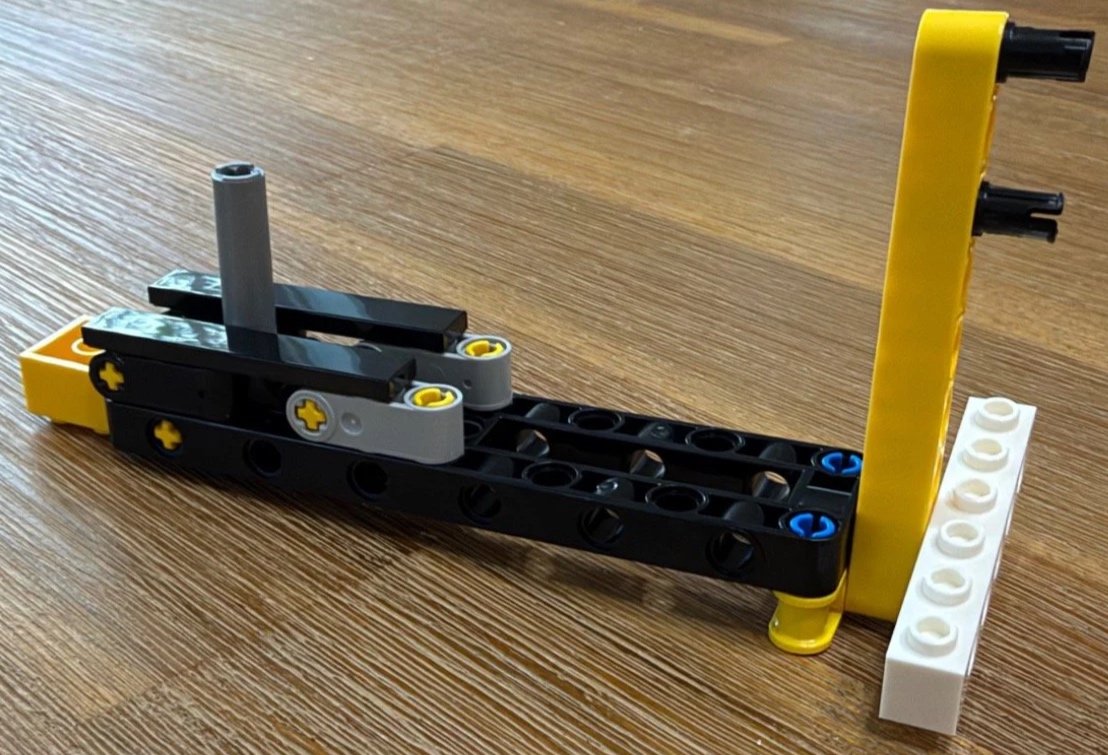
Bag 2: keeping this loose linkage supported made assembly easier.
Bag 3: The return ramp and a demanding curved guide
Time: 10:23 · Difficulty: 4.8/10 · Repetition: 4.5/10 · Dexterity: 6.2/10 · Stickers: 0
More trim goes around the base, and I started to notice the repetition of those straightforward placements. The more interesting work is the long yellow-and-red return ramp and the compact curved Technic guide at its end.
The ramp was easy enough, but the pin orientation matters. I appreciated the way the instructions grouped that work. The final curved assembly was a different story: bringing its layers together took real force and finger control on my copy. It was one of those small constructions that demanded more effort than its size suggested.
Building against a hard surface helped me support it while making the connections. I would check each axle and pin is seated before installing the whole guide, rather than trying to correct several loose joins once it is inside the base.
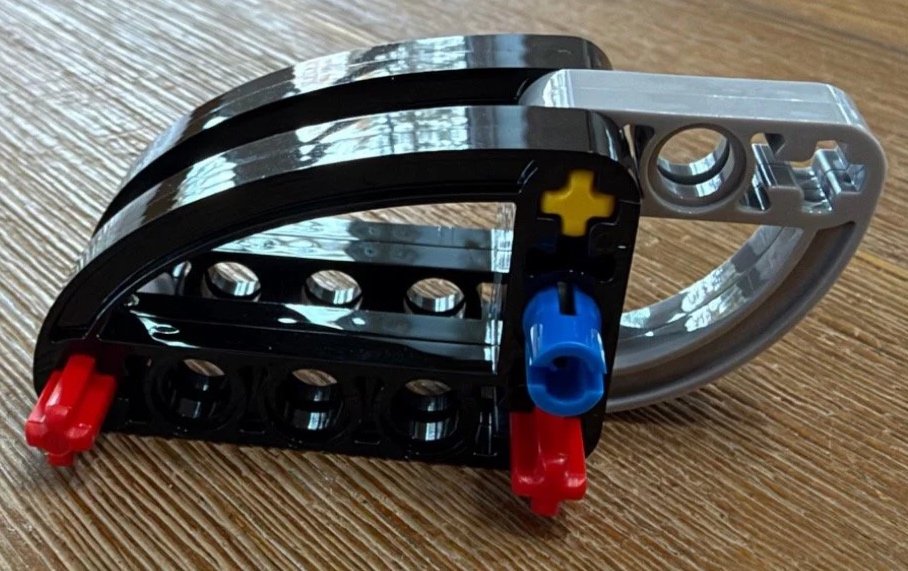
Bag 3: this compact guide needed more force and finger control than its size suggests.
Bag 4: Clear panels and a taller base
Time: 08:43 · Difficulty: 2.8/10 · Repetition: 4.0/10 · Dexterity: 3.2/10 · Stickers: 0
This is a calmer bag after the earlier mechanism work. The base gains height, and transparent panels begin enclosing the lower structure while leaving a view into the return area.
Most of the work is regular wall, frame and trim building. I found it very straightforward. The repetition is still there, but this section also makes the lower mechanism feel more like part of a complete machine instead of a collection of exposed parts.
Bag 5: It finally looks like an arcade machine
Time: 11:43 · Difficulty: 3.5/10 · Repetition: 3.0/10 · Dexterity: 3.8/10 · Stickers: 1
This was the first bag where I stopped thinking primarily about the inside of the model and started seeing an arcade machine. The red deck, yellow edging and little white direction markers make a huge difference to its appearance.
Before covering the base, there is a small moving follower that rests in position rather than being locked down like a normal wall brick. Pulling the barrel lever lets me test the mechanism we have been working toward. Seeing it move made the earlier effort feel worthwhile.
I applied the single Jump-label sticker here. The yellow button looked sunken at this stage, which initially worried me, but I did not need to improvise a fix while the mechanism was still being completed. Between the appearance and that early function test, this was my favorite bag so far.
Testing the barrel lever before finishing the control deck.
Bag 6: The first ramp and a spinning flame
Time: 12:22 · Difficulty: 4.2/10 · Repetition: 3.5/10 · Dexterity: 5.6/10 · Stickers: 2
Now the game starts growing upward. The first sloping ramp introduces the magenta lattice edging, and the turquoise ladders make the scene instantly more recognizable. I really like this color combination.
Seating the first ramp took more effort than I expected. I worked pressure across it from side to side and front to back until it was firmly in place. Once seated, it helped the growing structure feel much more stable. I would support the base and work across the connections instead of pressing on one unsupported corner.
The oil drum and flame use two stickers. The flame is mounted on a rotating assembly, which is a lovely little effect to discover at this stage. As usual, I used the brick separator to help position the stickers.
Bag 7: Another level and a floating hammer
Time: 11:26 · Difficulty: 3.5/10 · Repetition: 4.8/10 · Dexterity: 4.0/10 · Stickers: 0
The next ramp reverses the direction of the slope and adds more of the black backdrop. There are clear elements around the edges and another ladder to tie the game scene together.
My favorite detail here was the red hammer. Its support is discreet enough that the hammer looks like a floating item from the game. It represents a power-up for Jumpman, rather than something Donkey Kong throws.
The underlying ramp work is becoming familiar, but the new detail kept this bag enjoyable for me. It is a good example of repetition that can still be satisfying.
Bag 8: A familiar ramp with one awkward connection
Time: 12:25 · Difficulty: 4.5/10 · Repetition: 6.0/10 · Dexterity: 5.5/10 · Stickers: 0
By the third ramp, much of the assembly pattern is familiar. The slopes alternate, and this bag adds another ladder and hammer. That keeps the scene moving upward, but it also makes this one of the more repetitive structural stages.
One angled connection was noticeably harder to secure. The small black plate with an upright Technic pin hole (6114987) sits in an assembly where access matters. I used a ladder piece from the bag to help press it into position because my fingers were not getting the connection seated comfortably.
That was my workaround on this build, not a step the instructions require. The important point is to support the connection and check the orientation before applying pressure. Most of the bag is familiar work; that one section deserves extra patience.
Bag 9: Side guides and an easier rhythm
Time: 11:55 · Difficulty: 3.3/10 · Repetition: 5.5/10 · Dexterity: 3.7/10 · Stickers: 0
This bag adds long side-guide assemblies alongside the next sloping level. I expected fitting the longer piece and its brown 5L axles (6159763) to be awkward, but it was surprisingly easy.
The ramps also became easier to seat as I worked upward. The structure felt more stable than it had when I installed that first level, and I was getting used to the sequence. There is still a fair amount of repeated ramp construction, but I had settled into a much easier rhythm.
Some red, blue and tan pieces reminded me of Mario's colors. That was my interpretation while building; I have not confirmed it as an intentional hidden character, so I would enjoy the resemblance without treating it as an established Easter egg.
Bag 10: A quick change of pace at the top
Time: 05:20 · Difficulty: 2.2/10 · Repetition: 4.0/10 · Dexterity: 2.5/10 · Stickers: 0
At 5:20, this was my fastest recorded bag. It builds the separate upper framework that will finish the top of the game scene, changing the pace after the repeated slopes.
There is not much complication here. It is a short run of black structure and blue side sections, preparing the space for the final platform and characters. The photograph shows this assembly on its own, before it is connected to the rest of the model.
Bag 11: Donkey Kong, Lady and the final platform
Time: 08:35 · Difficulty: 3.0/10 · Repetition: 3.0/10 · Dexterity: 4.0/10 · Stickers: 3
The upper section is finished and attached, followed by Donkey Kong, Lady and the Help message. Snapping the top into place was easier than I expected.
There is a neat connection for the small magenta lattice piece (6629489). It attaches sideways using the front-facing studs of the black modified brick (4162443), rather than sitting on top of a plate in the usual way. The short turquoise ladder sections also join to make the longer climb beside Donkey Kong.
I applied three stickers in this bag. I can understand using one for the Help message, but I really wanted Donkey Kong and Lady to be printed. They are central to the finished scene, so this was where the sticker choice bothered me most.
Bag 12: Twenty barrels, then a chance to play
Time: 05:50 · Difficulty: 1.8/10 · Repetition: 9.0/10 · Dexterity: 2.5/10 · Stickers: 0
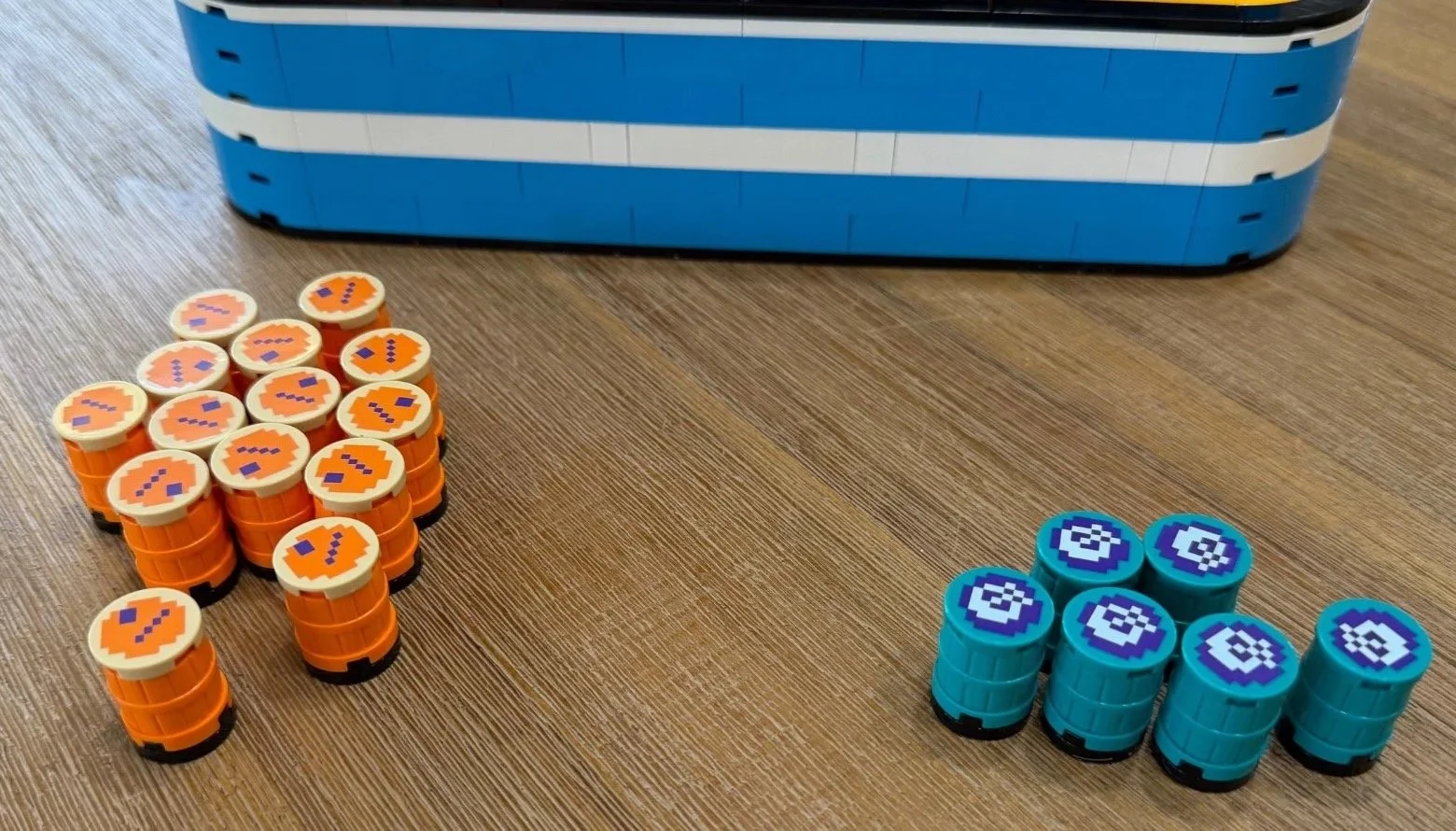
This is the barrel-production bag: 14 orange barrels and six cyan barrels. The printed tops are a welcome change from stickers, but almost the whole stage consists of repeating a small number of placements. It is comfortably the most repetitive bag, even though I enjoyed what it led to.
After making the orange barrels, the instructions show 14 pulls of the barrel lever to load the stack. That gives me a proper chance to test the return system and see a barrel begin its journey down the ramps. An early barrel rolling out was a pretty pleasant way to discover I had lost count.
The barrel-shaped control handle was already built in Bag 1. That explains why this bag makes 20 barrels while the set contains 21 barrel elements in total. The orange and cyan versions also have different printed tops, and the cyan ones have additional internal pieces in the instructions.
Bag 12: fourteen orange barrels and six cyan barrels, with printed tops.
Bag 13: Jumpman comes to life
Time: 14:45 · Difficulty: 4.8/10 · Repetition: 4.2/10 · Dexterity: 5.0/10 · Stickers: 4
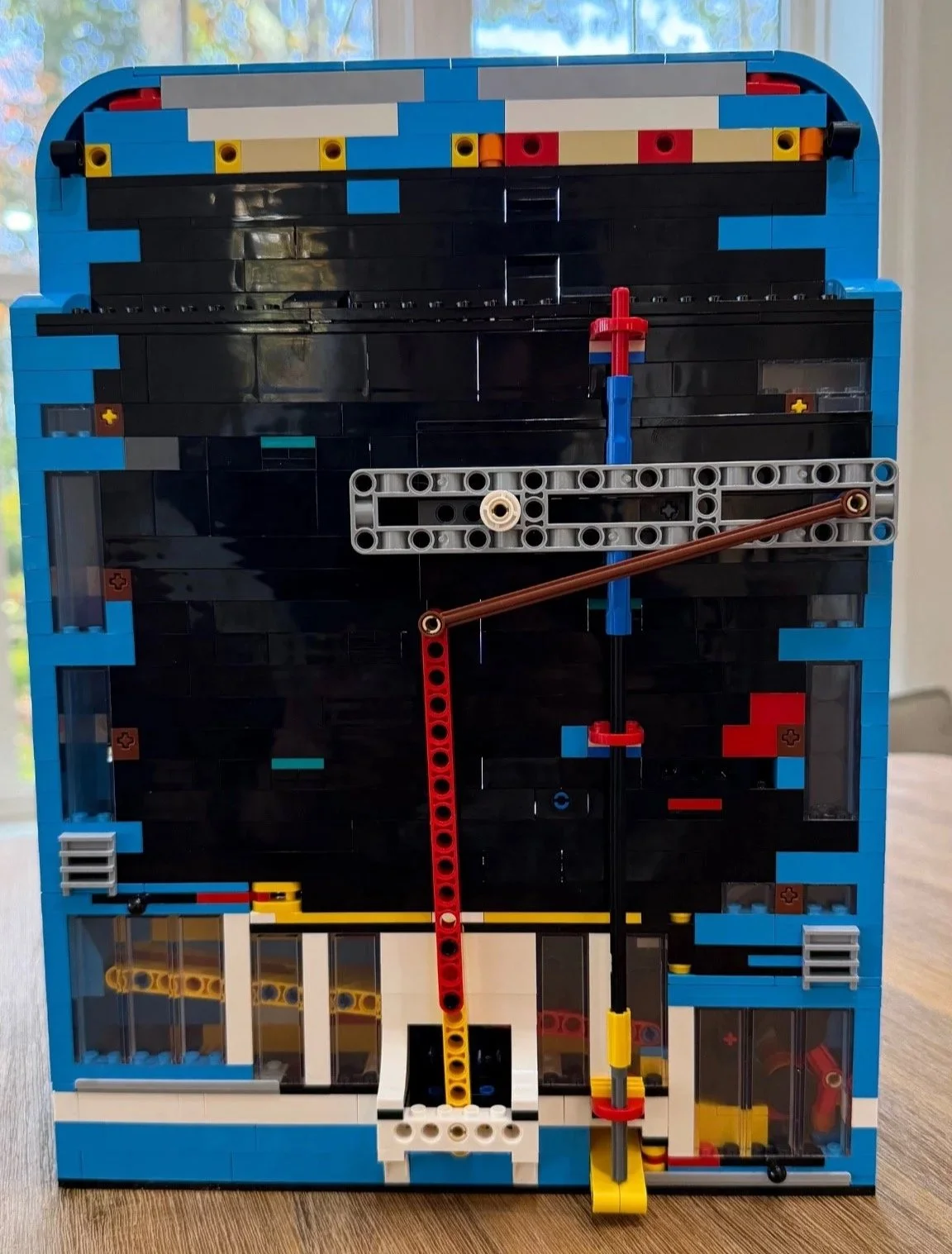
This was my favorite bag. The rear linkage connects the controls to Jumpman, using long pieces supplied outside the numbered bags as well as the pieces in this stage. Adding the printed Jumpman element (6608464) to the front is a particularly satisfying moment. This is where the mechanism becomes a character moving around the scene.
The rest of the bag completes the screen surround: white edging, red and yellow trim, and four large character portraits. The big stickers were easier to position than I expected. The trickier part for me was getting the large white round tiles (6528113) oriented correctly at the corners.
My approach would be to fit those white tiles first, check their position on the model, then support the arcade on its back and use a brick separator to help place the stickers. That reduces the chance of applying a portrait neatly only to discover the tile's intended orientation is different. Finish with the black joystick handle, and the model already looks excellent without its title letters.
Bag 13: the movement linkage is visible from the back.
Bag 14: A delicate finish above the screen
Time: 17:28 · Difficulty: 5.0/10 · Repetition: 4.8/10 · Dexterity: 6.8/10 · Stickers: 0
The final bag builds the Donkey Kong lettering and mounts it above the screen. At 17:28, it was my longest recorded bag and the most delicate part of the build.
Some letter shapes, especially the N and K, need careful support while their small connections come together. Building them flat on the table was easier for me than holding them upright as they developed. The yellow star-shaped pieces (6248804) give the two O letters their distinctive centers.
I would help anyone who struggles with small parts through this section. It was my least enjoyable assembly in the set, although I still enjoyed making it. Once finished, the letters attached to the back easily enough and stayed upright on my model. They can move around quite readily, so I would handle the main structure rather than use the title as a lifting point.
Build Progress
Follow the build from the bags on the table to the finished arcade on my shelf. The sequence includes the loose mechanism details, each photographed stage and the final display beside PAC-MAN. The Bag 10 photo shows the separate top framework, and the Bag 13 front view is before the title letters are added.
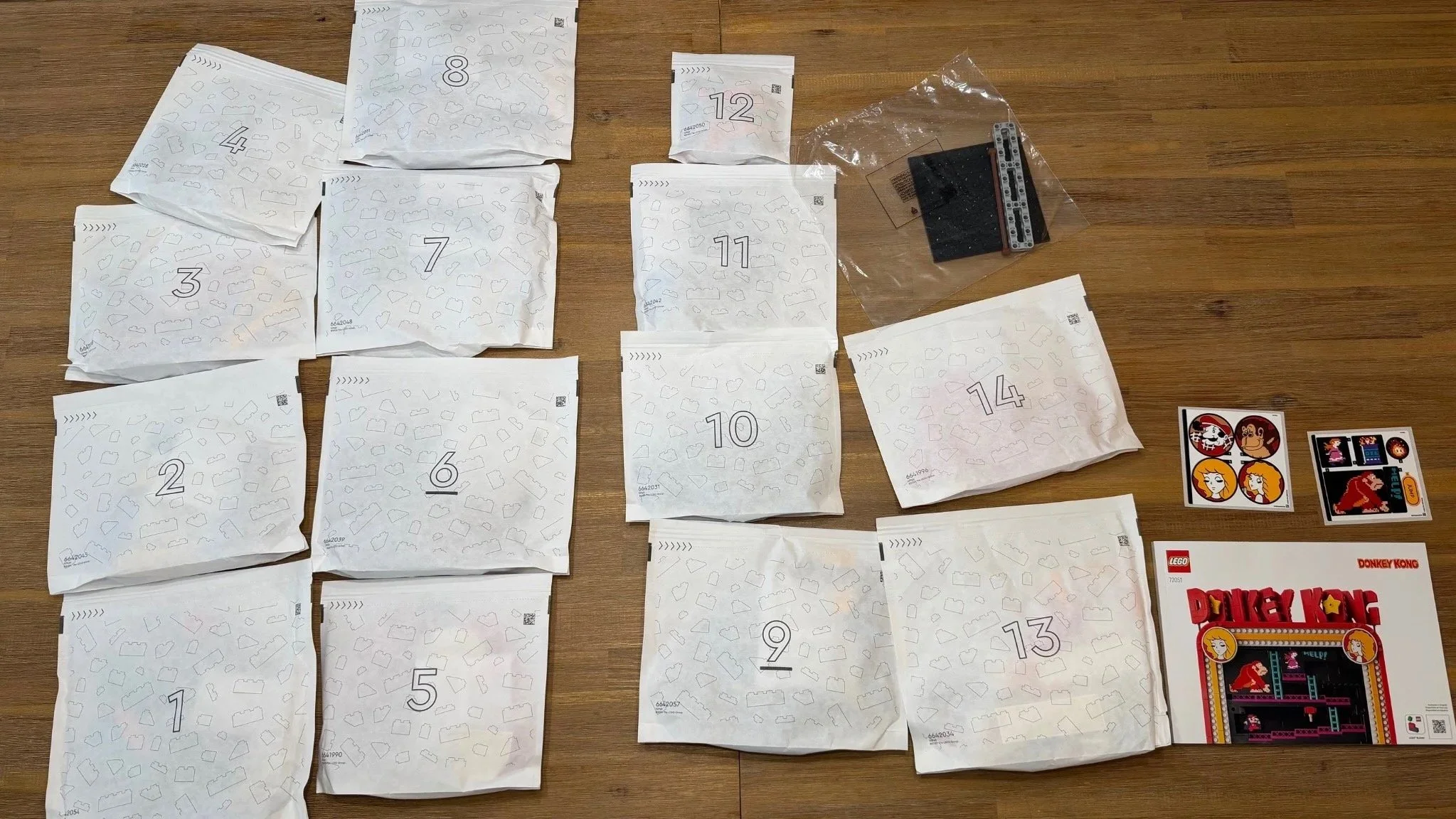
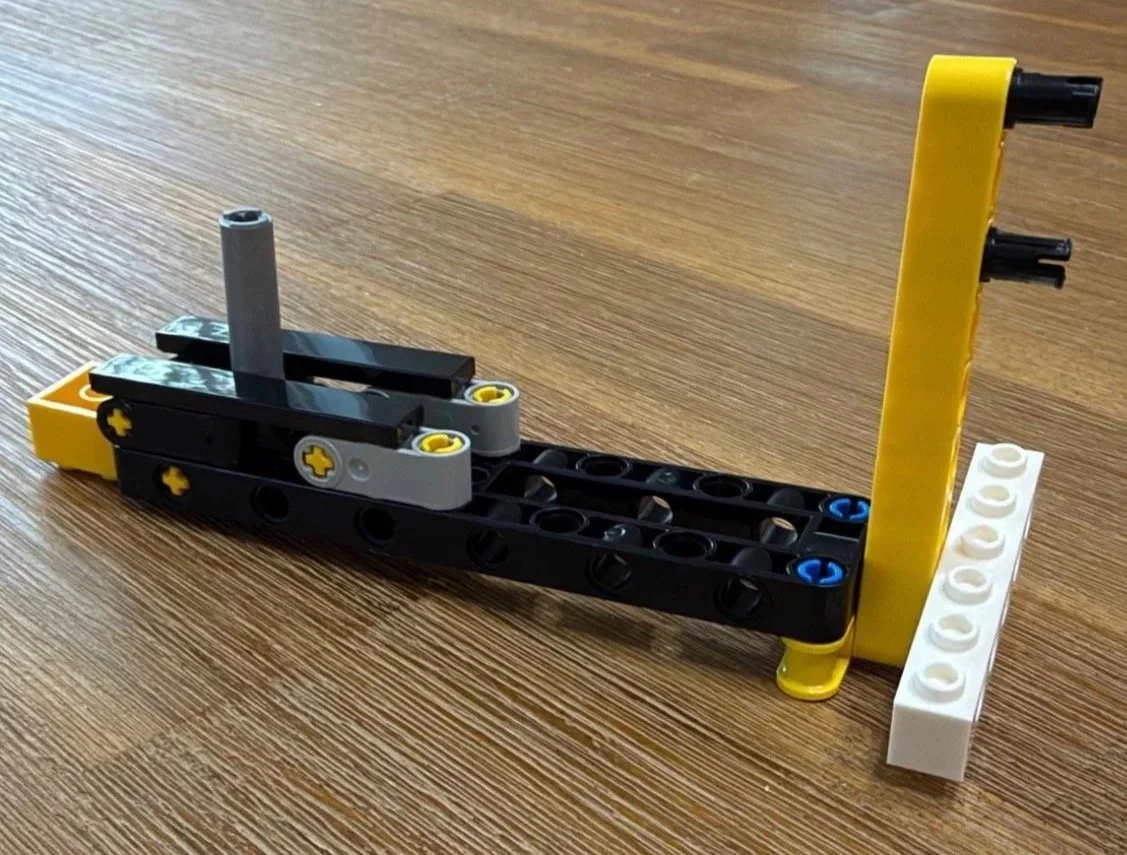
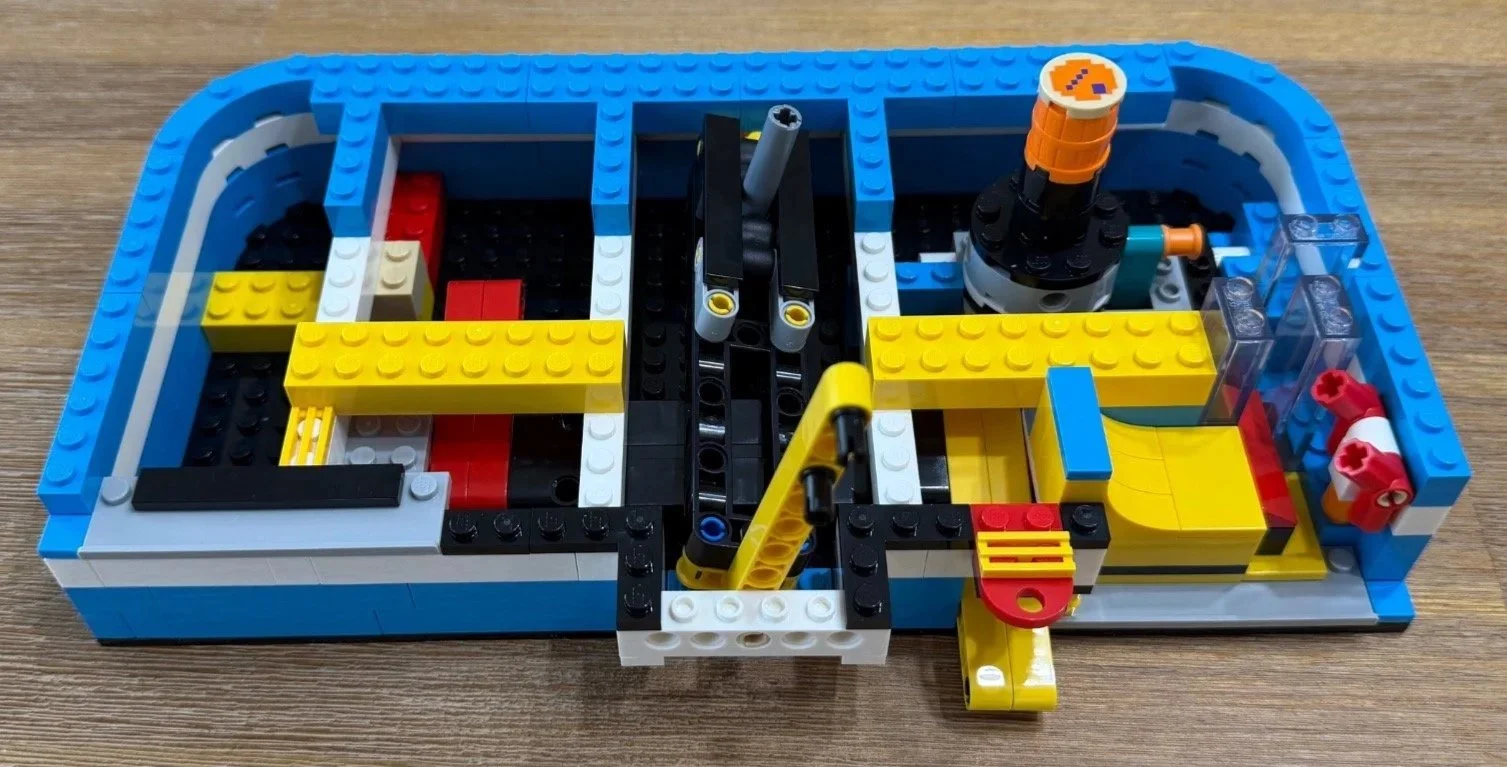
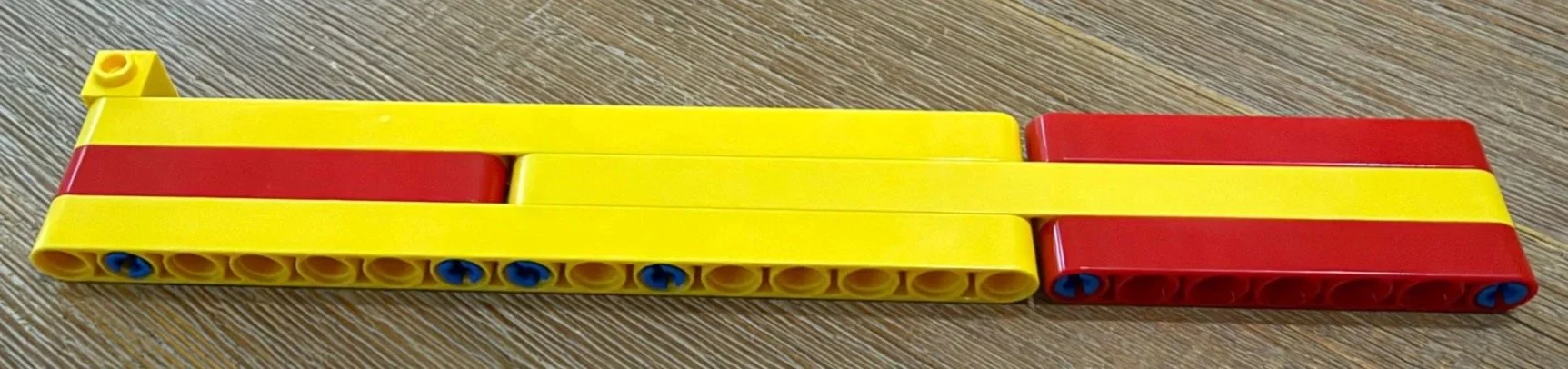
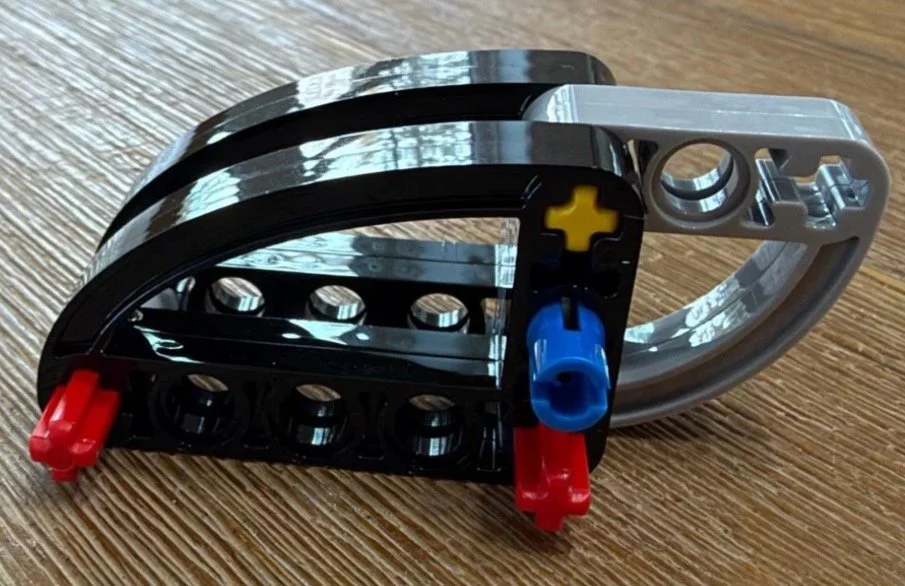
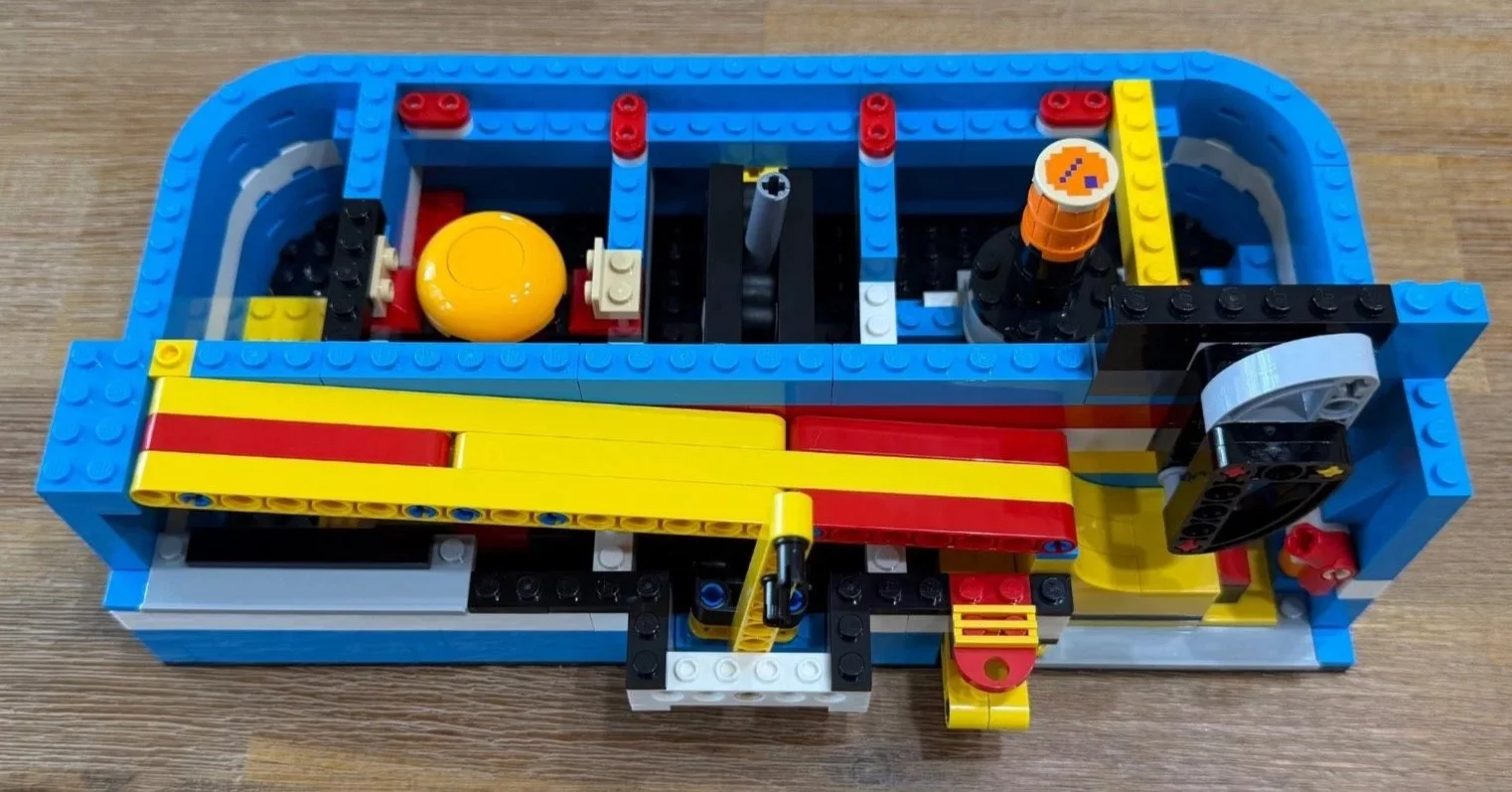
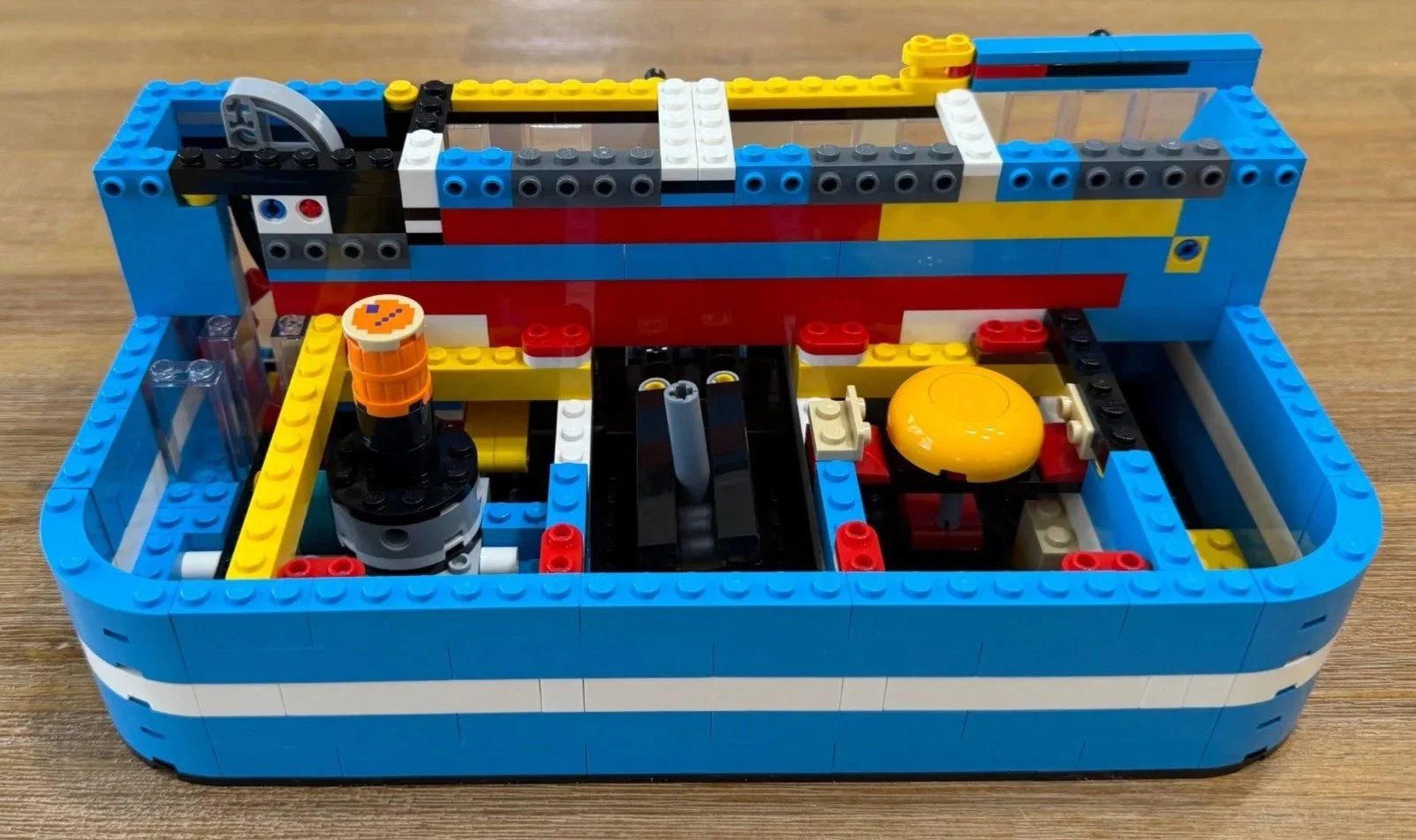
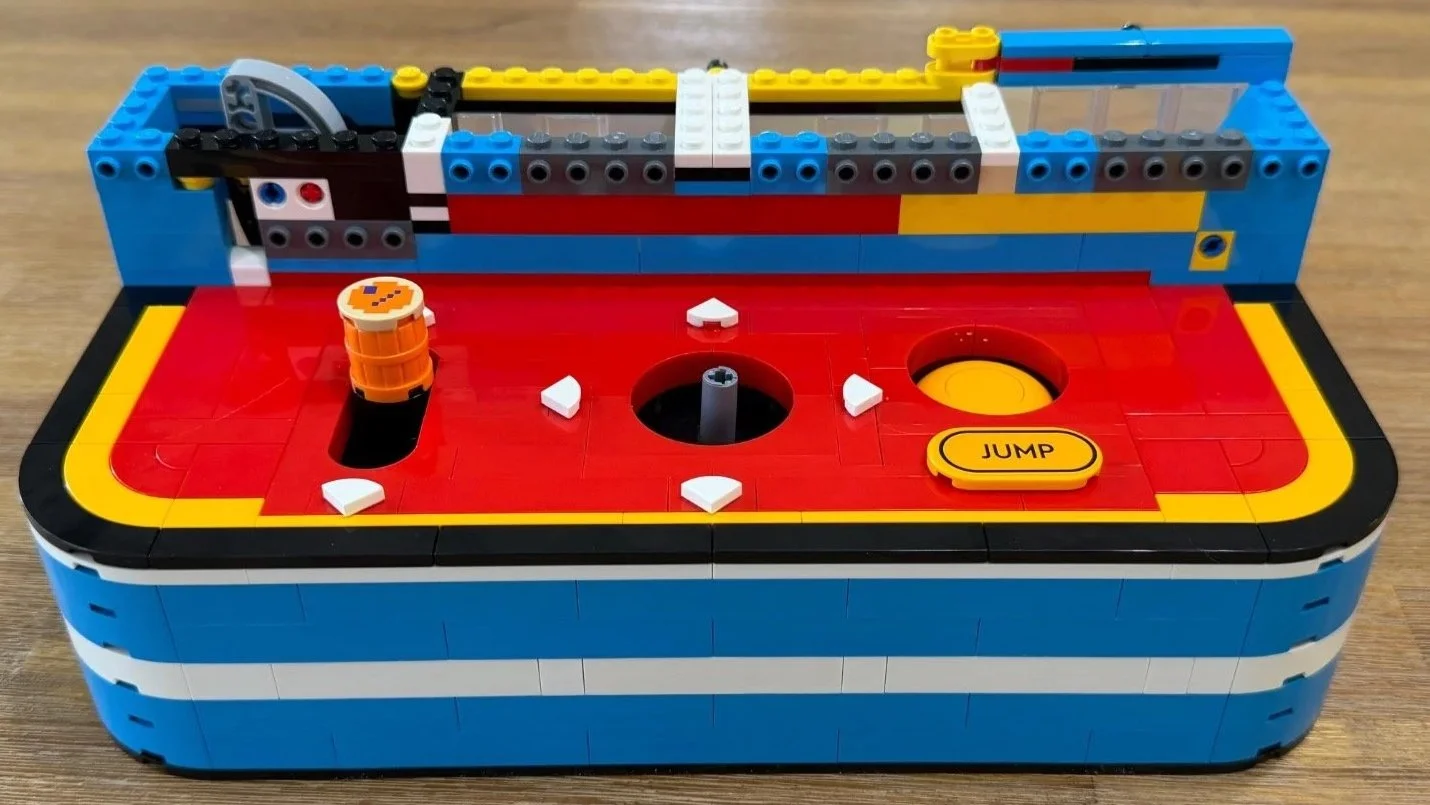
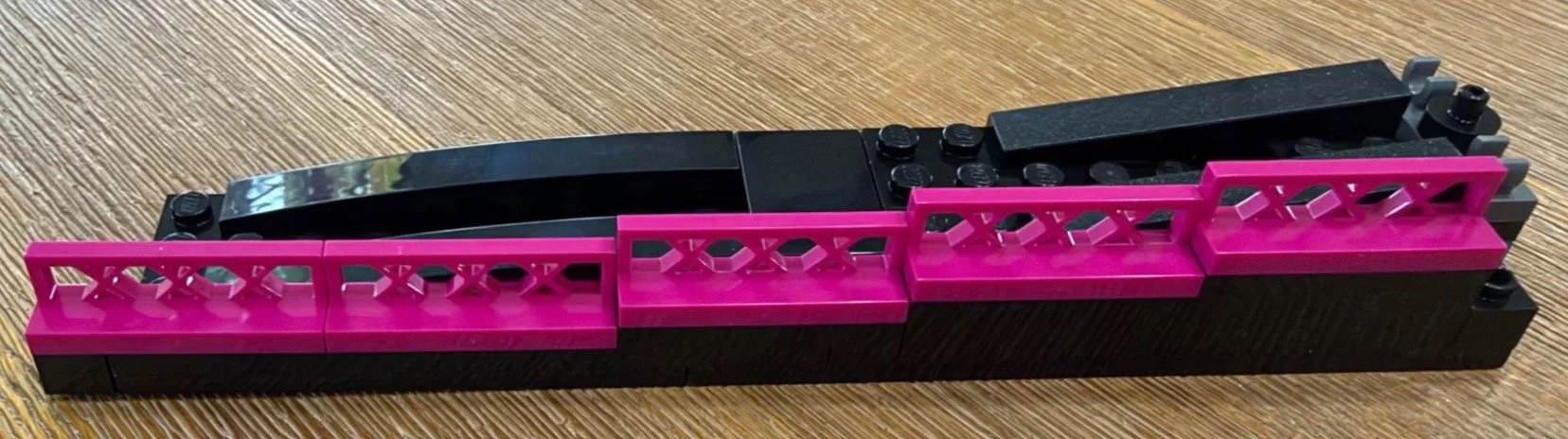
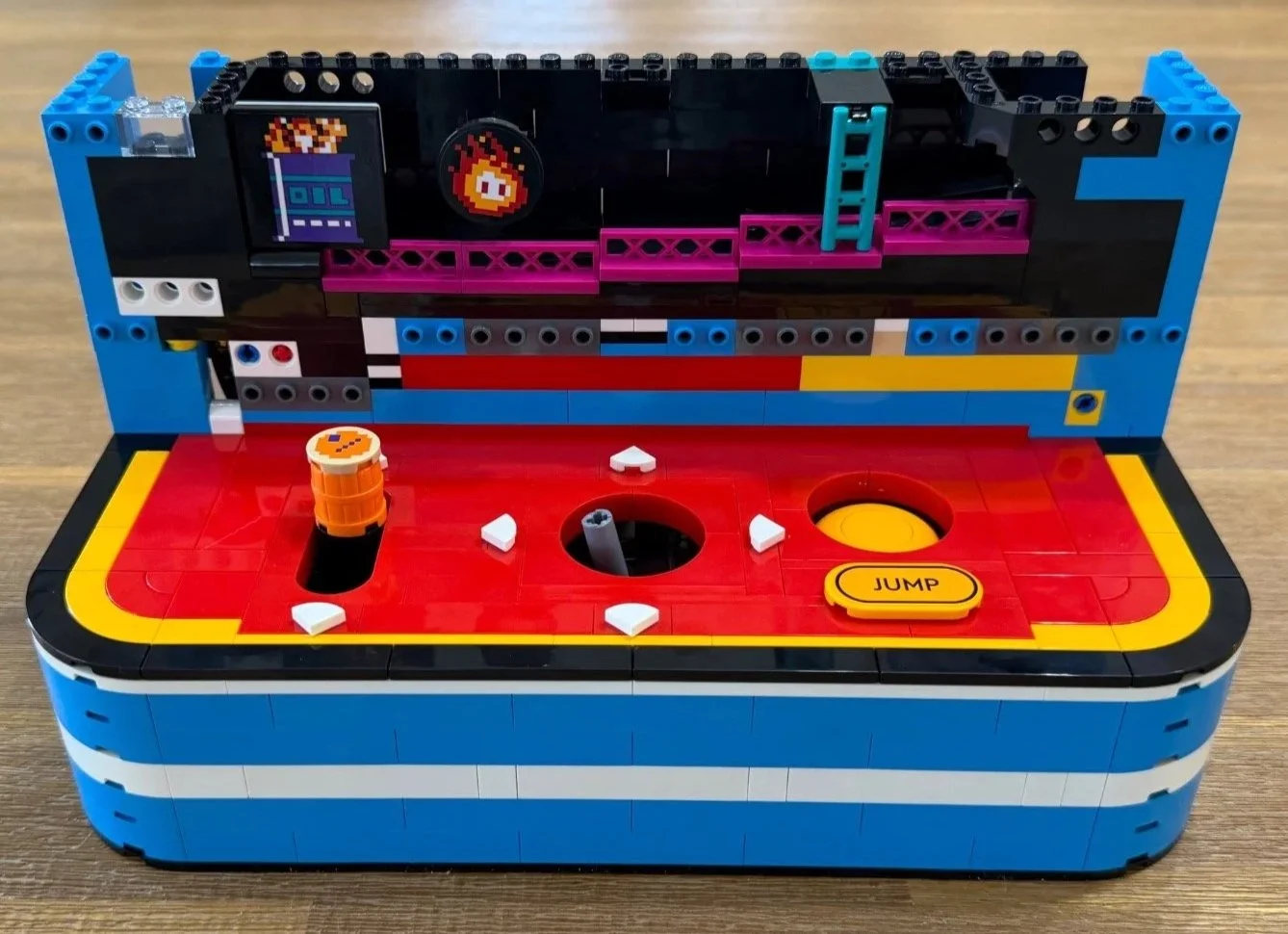
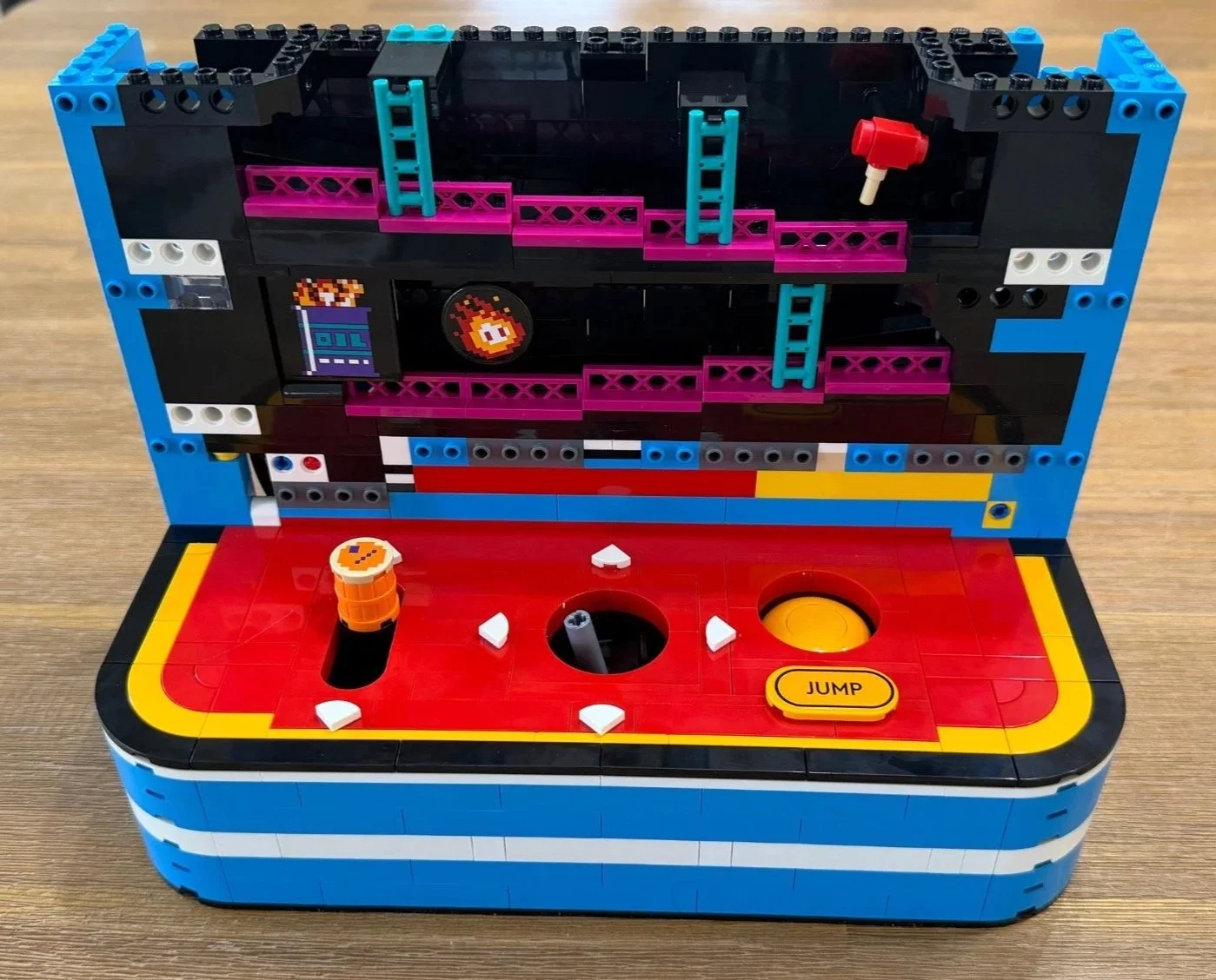
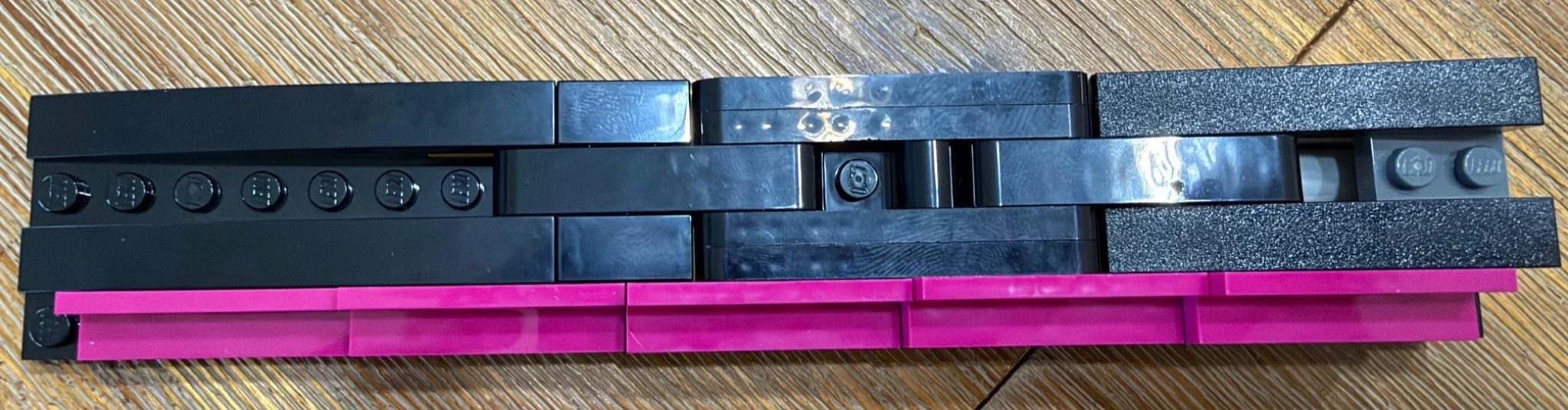
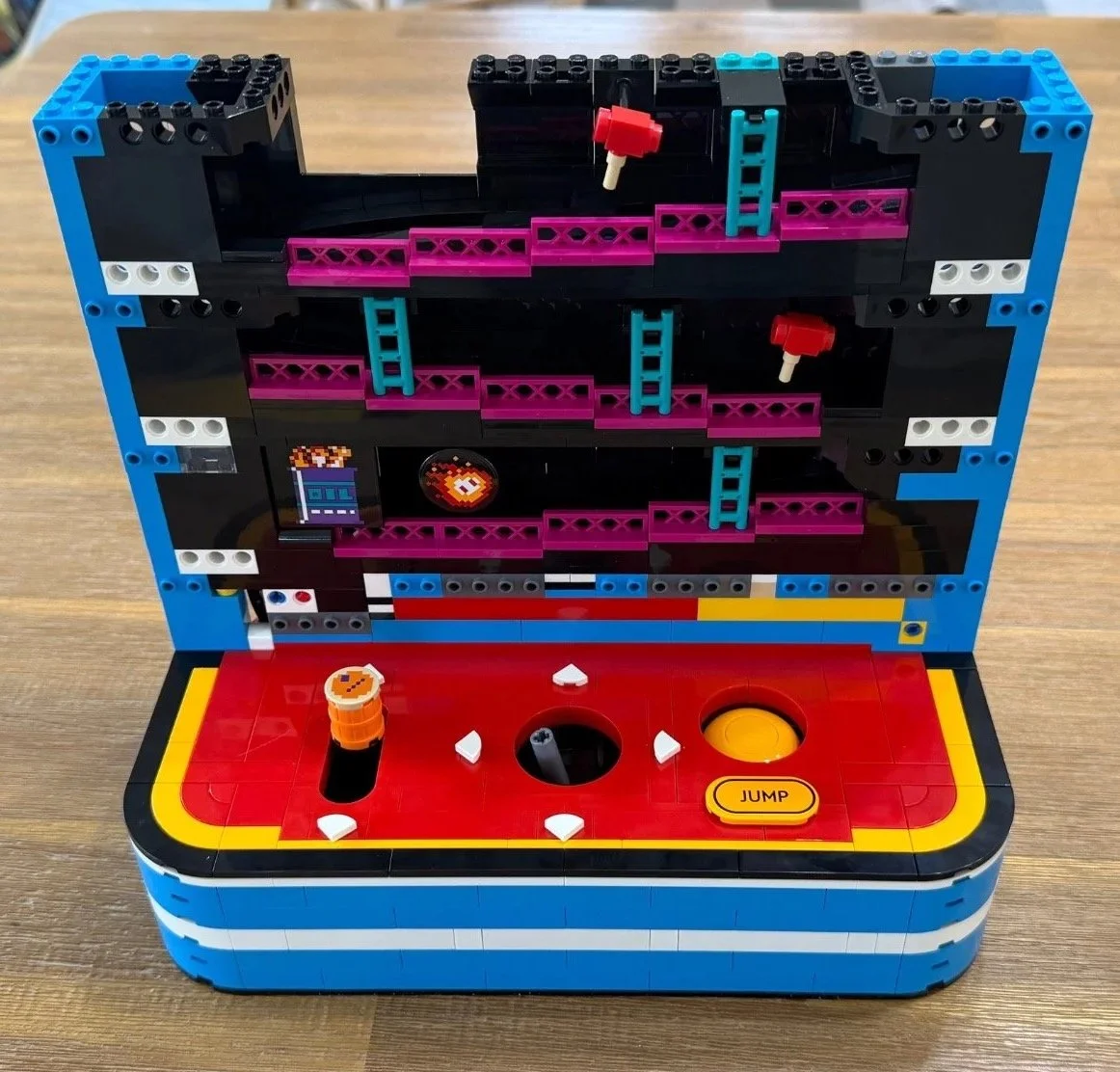
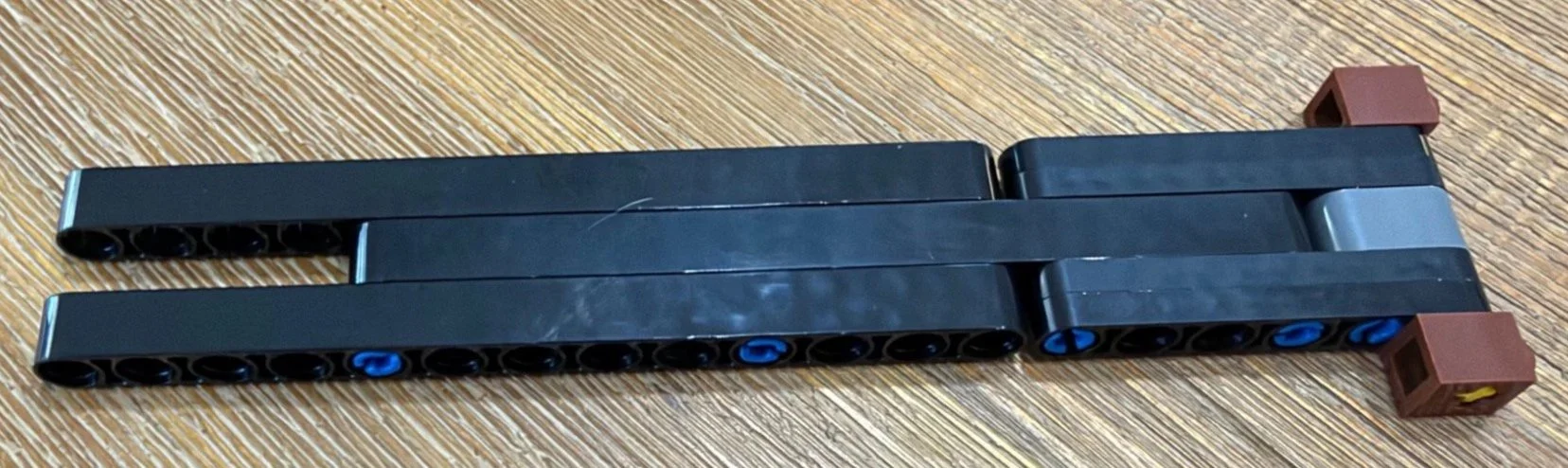
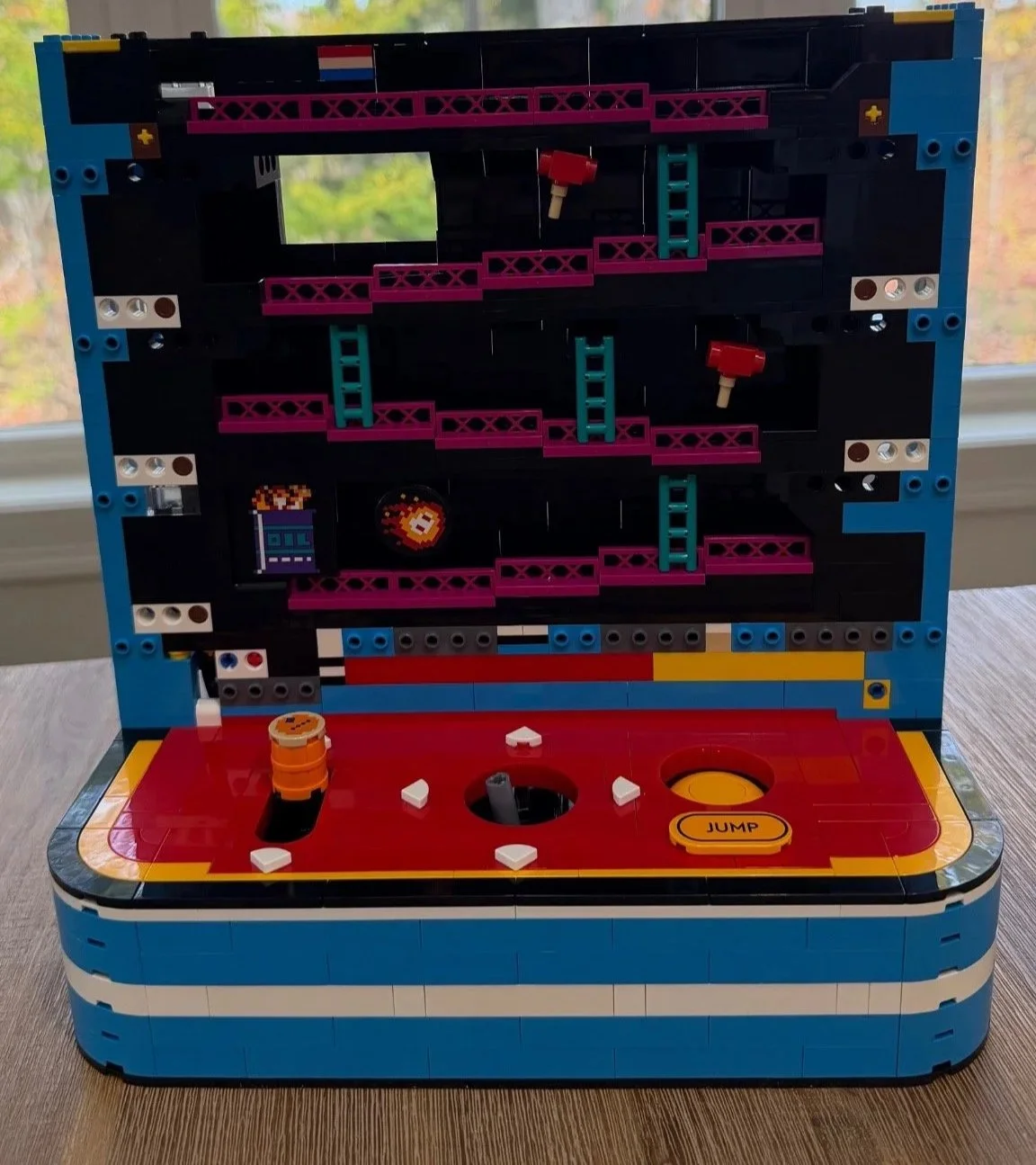

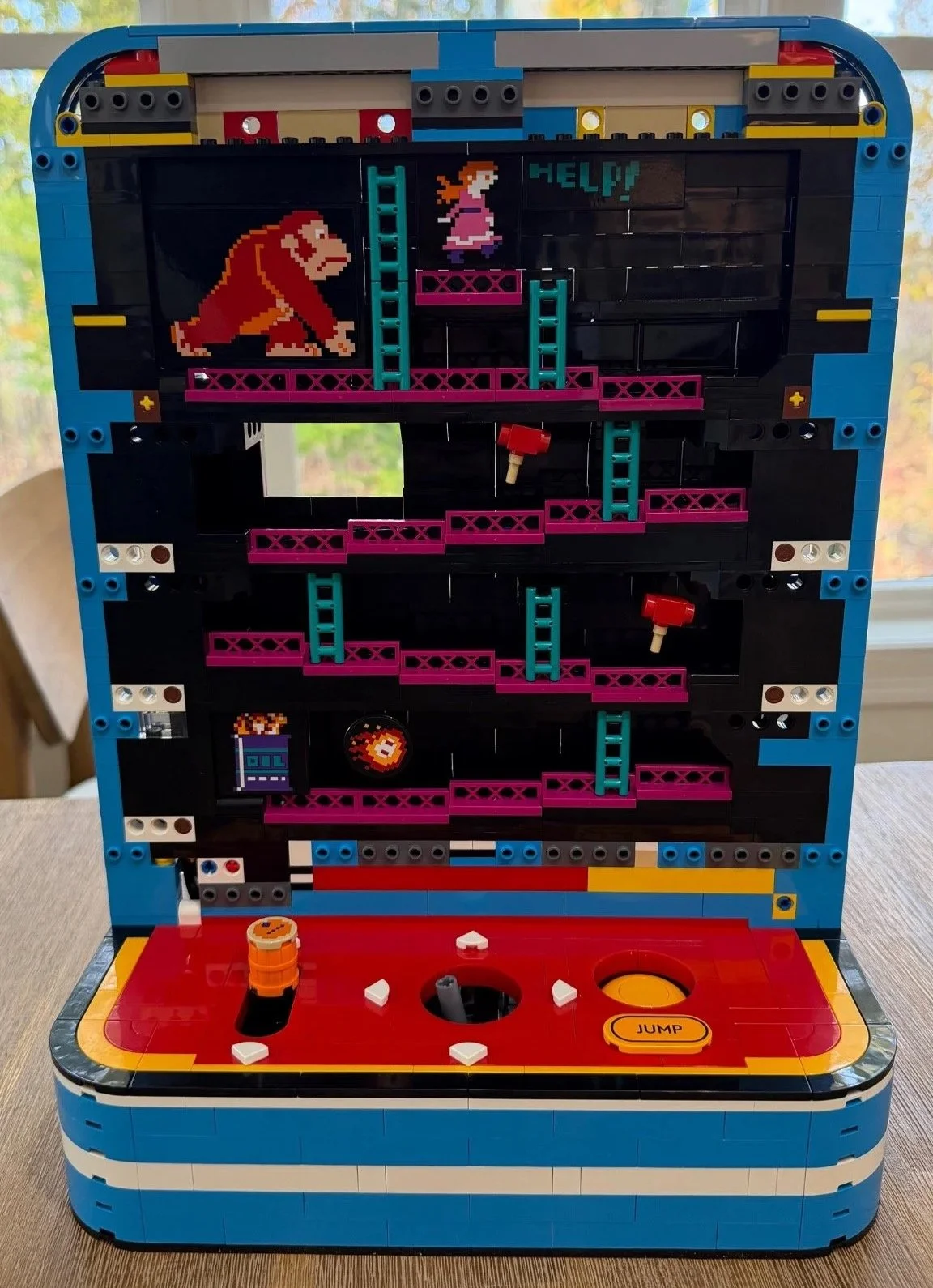
Stage key: Slides 1–4: preparation and Bags 1–2. Slides 5–9: Bags 3–5 and the control deck. Slides 10–16: Bags 6–9 and the rising game levels. Slides 17–21: Bags 10–13, characters, barrels and the rear linkage. Slides 22–23: completed title and shelf display.
Details Worth Looking For
The barrels help move the barrels
The barrel return is my favorite kind of mechanical surprise: the solution is simpler to describe than I expected. The design-team notes explain that each pull adds a barrel to the bottom of a stack, which releases a barrel at the top. The barrels themselves become part of the lifting arrangement.
Knowing that makes the early foundation more satisfying in hindsight. There is a reason for the long ramp, guide pieces and space inside the base. They are helping return the action to the top so it can happen again.
Jumpman, Lady and the floating hammers
LEGO uses Jumpman for the playable character and Lady for the character at the top, later known as Pauline. Jumpman is the character we know as Mario. Those names suit a model focused on the original game.
The little red hammers are particularly fun to build. They represent the hammer power-up that Mario can use against barrels and enemies. Their discreet supports give them the floating appearance of an item waiting to be collected. I initially called them Donkey Kong's throwing hammers in my notes, but that is not their role in the game.
A flame that does more than sit there
The flame graphic near the oil drum sits on a rotating assembly. I really liked that small touch, especially alongside the magenta girders and turquoise ladders. It gives the lower level a little more personality before the rest of the screen is finished.
Printed details make the stickers harder to overlook
The barrel-top graphics and the printed Jumpman piece look excellent. They also make me wish the same approach had been used for Donkey Kong and Lady.
Ten stickers is a manageable workload, and the four large corner portraits were easier to position than I expected. My reservation is about the finished treatment and what I want from a premium display set, rather than the sticker count alone. I would have preferred all of that prominent character artwork to be printed.
Functions, Stability and Shelf Space
On my completed model, the directional movement, jumping and barrel loader all worked flawlessly when I tested them. The jump mechanism was the biggest surprise of the build, and I still find it hard to choose between that and the barrel loader as my favorite feature.
The main structure felt very stable. The title letters are the exception during assembly: their small connections need support, particularly around the N and K shapes. Once installed, mine stayed upright, although the individual letters could still be moved easily.
This needs a proper place on a shelf. LEGO lists the finished model at over 39 cm high, 27 cm wide and 15 cm deep. I would allow extra room to reach the controls comfortably. The title letters can be removed if height is tight, but I have not measured the resulting clearance accurately enough to give it as a specification.
The short video below shows me operating the finished model's controls, moving Jumpman around the scene and releasing barrels. It is a demonstration of my completed build, not a guarantee about every copy.
The completed arcade in action: controls, Jumpman and barrel release.
Rear Access Doors for Clearing Barrel Jams
One clever detail only clicked for me after finishing the build: the two transparent assemblies at the bottom of the back open to provide access when barrels get stuck. You can reach inside to clear a jam without taking the model apart. It’s a thoughtful feature that’s easy to overlook during construction, but something I really appreciate now that I understand its purpose.
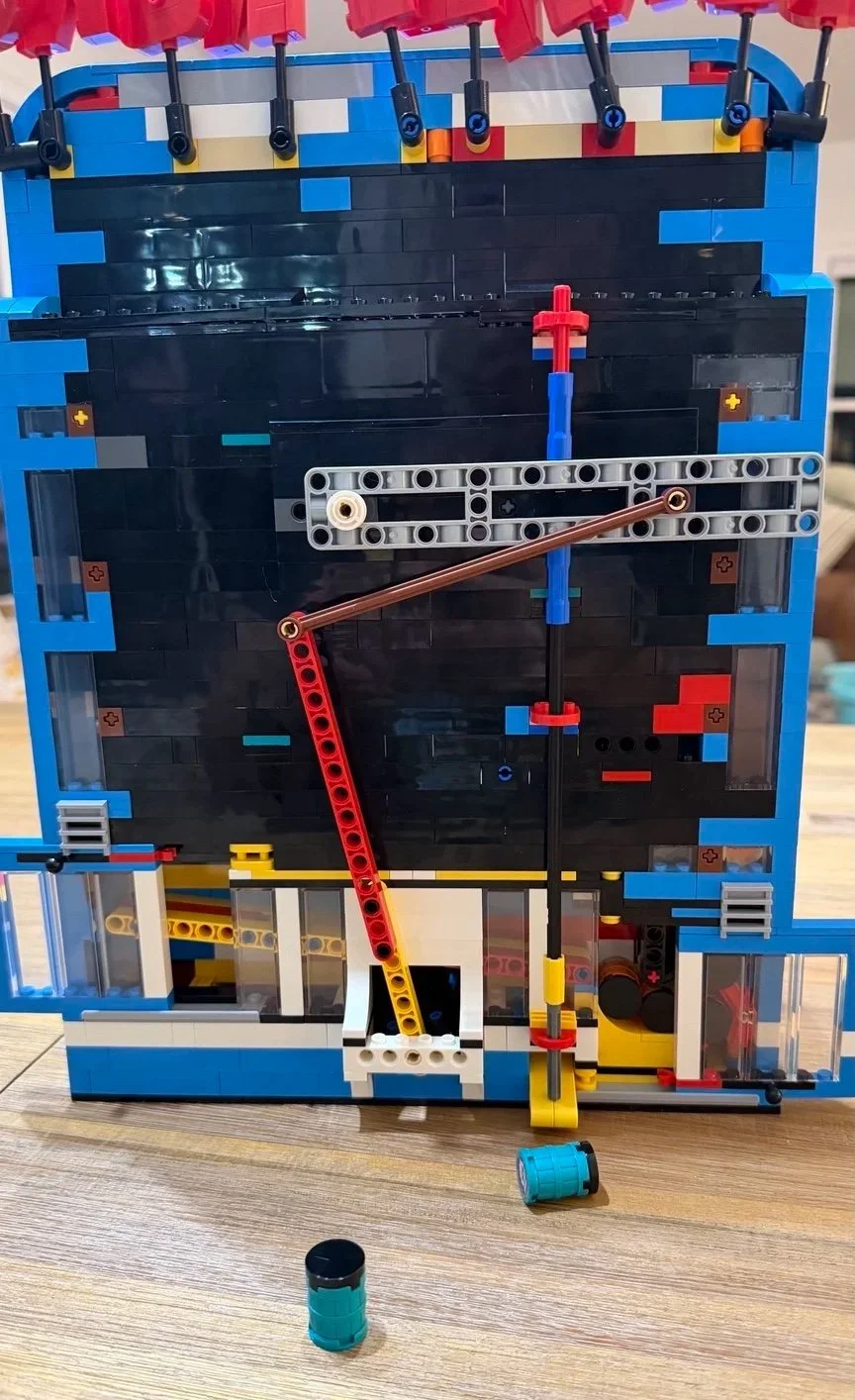
The two transparent rear doors provide access to clear stuck barrels without dismantling the model.
My Verdict
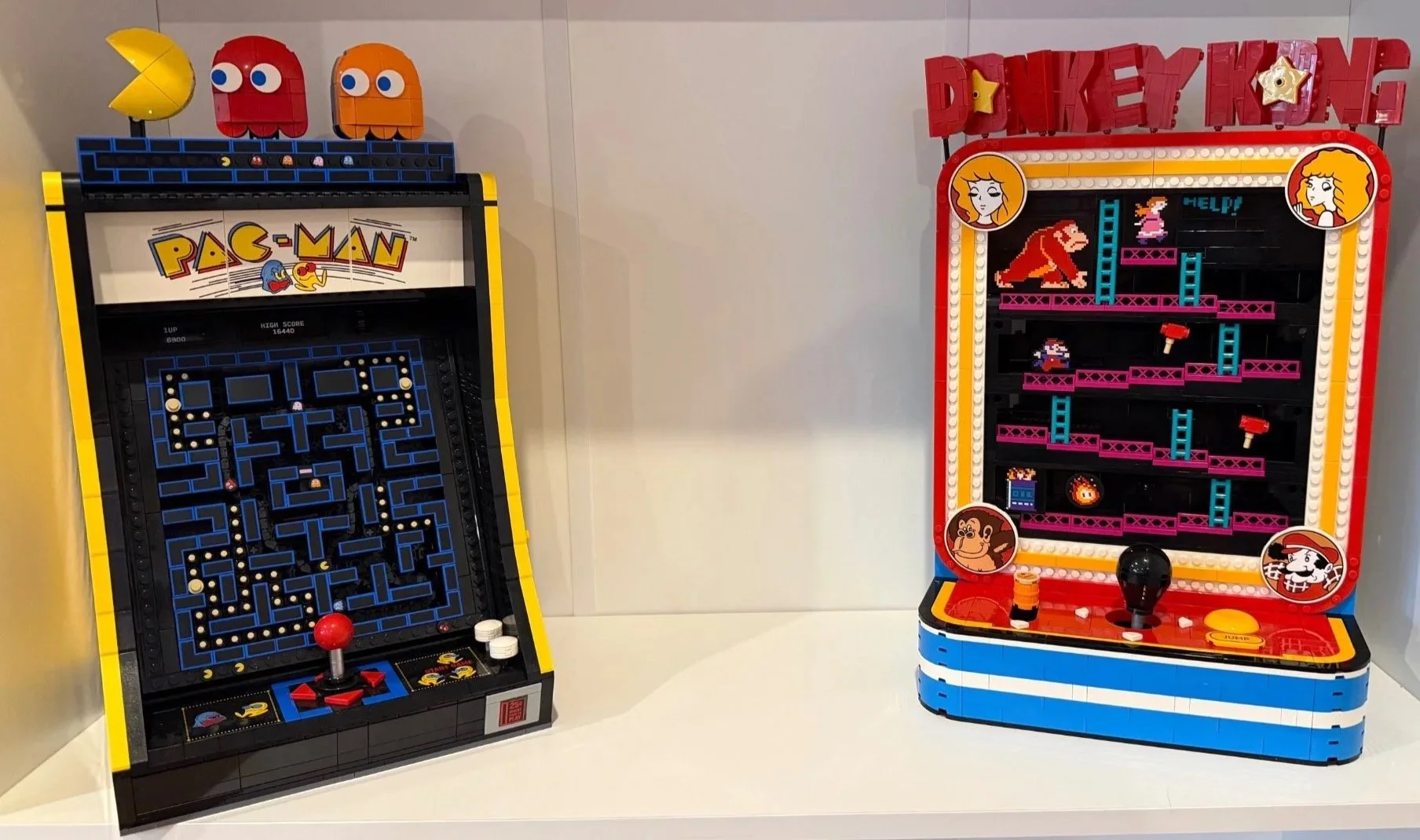
9.8/10. Donkey Kong Arcade is one of those sets I would happily build again. I preferred the building experience to the PAC-MAN Arcade: it felt less repetitive to me, and its functions impressed me more. I also prefer the finished appearance, though seeing the two together makes a great arcade display.
Two arcade builds side by side. Donkey Kong was the more enjoyable build for me.
Bag 13 was my favorite because it connected the movement system to Jumpman and finished the screen with those large character portraits. Bag 5 had already given me an earlier high point when the exposed base became a proper control deck. The build has enough of those moments that it rarely felt like I was just waiting for the next bag to be over.
The letters were my least enjoyable part, even though I still enjoyed making them. They are more delicate than the main model, and I would help a builder who struggles with small connections there and during the early Technic mechanisms. Outside those sections, I found this relatively painless to assemble.
For Donkey Kong or Mario fans, people who enjoy arcade nostalgia, or anyone who likes a LEGO display with something to do, this is an easy personal recommendation. My main wish is simple: give those prominent characters printed pieces. The rest of the experience came remarkably close to everything I wanted.
More Builds from My Workbench
For another nostalgic gaming build, read my LEGO PlayStation 72306 review. If the mechanisms are what interest you, my LEGO Poké Ball 72154 review covers a very different interactive display.
You can also browse all of my LEGO build guides and reviews.
Want Help with a LEGO Set of Your Own?
This review is from my own build. Through The Bricksmith, I also help with new-set assembly, rebuilding and organizing LEGO sets around Greater Portland, Maine.
If you have a set you would like help with, send a few photos and tell me what you want the finished result to be. You can explore the services or start with a free photo assessment.